

KB-G3-01
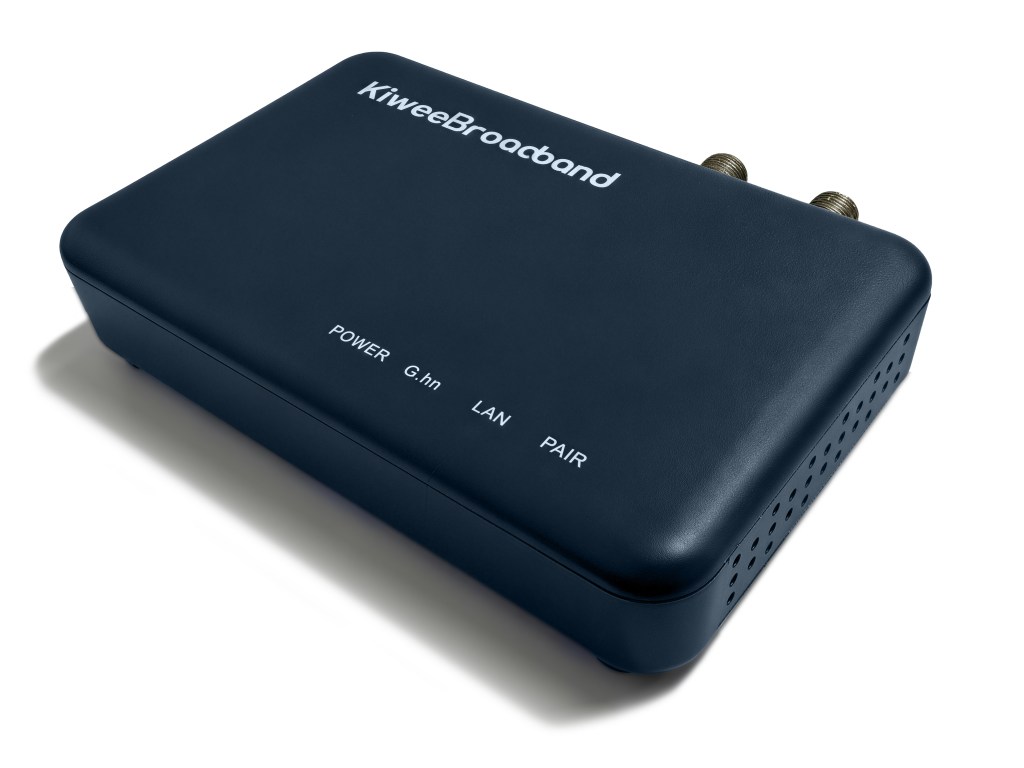
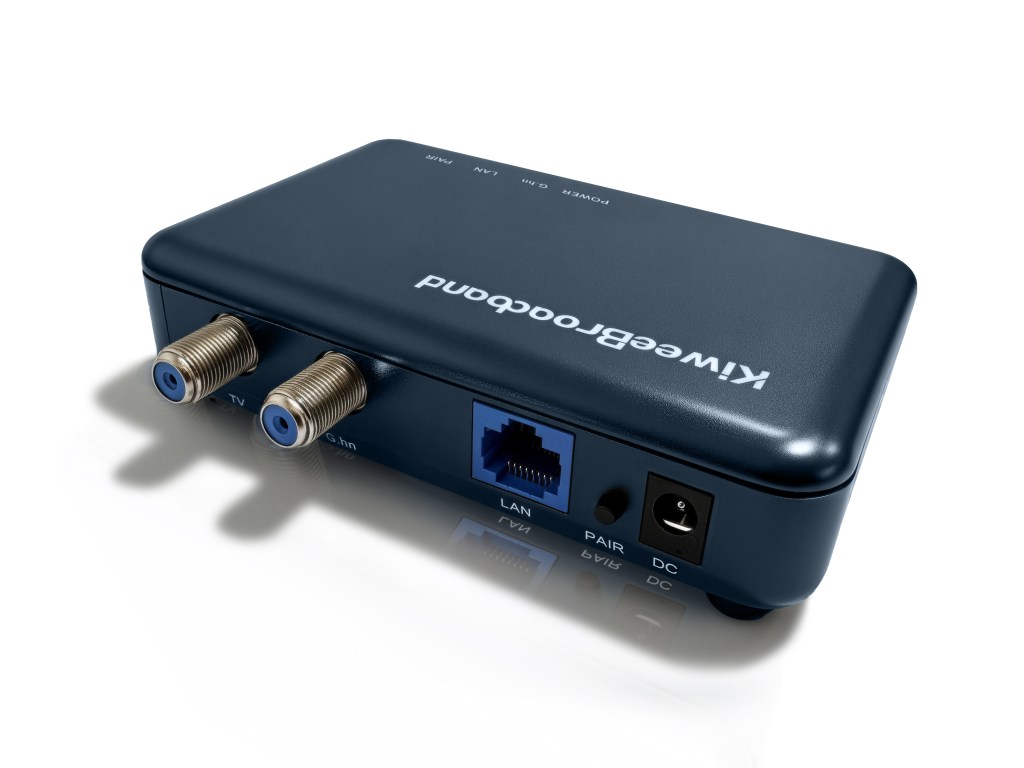
Turn Existing Coax into 1.6Gbps Ethernet with 2.5GbE Ports (G.hn Wave 2)
No rewiring. No WiFi lag. Pure speed over existing cable.
The Kiwee KB-G3-01 G.hn Wave 2 coaxial adapter turns your home’s underutilized coaxial cable into a high-speed ethernet network. Deliver 1.6 gigabits per second to any room—instantly.
Why G.hn Wave 2 Coaxial Adapters?
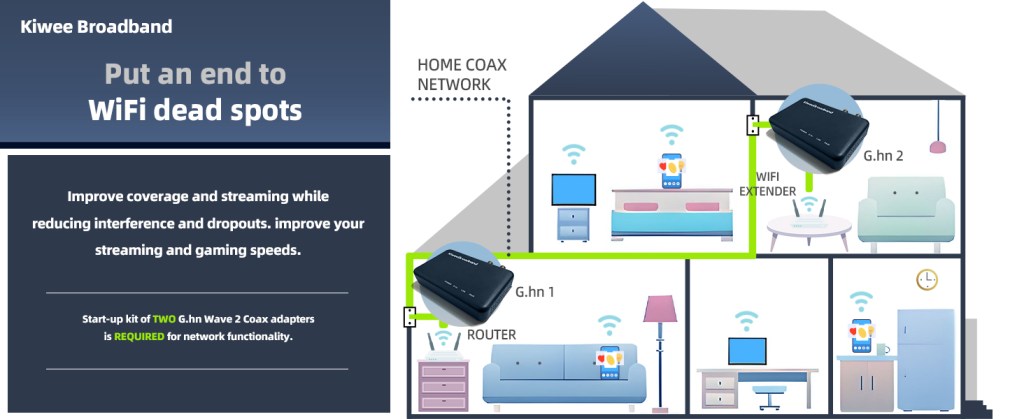
Tired of WiFi slowdowns? Existing ethernet too far away? Most homes already have coaxial cable running to every room—why not use it?
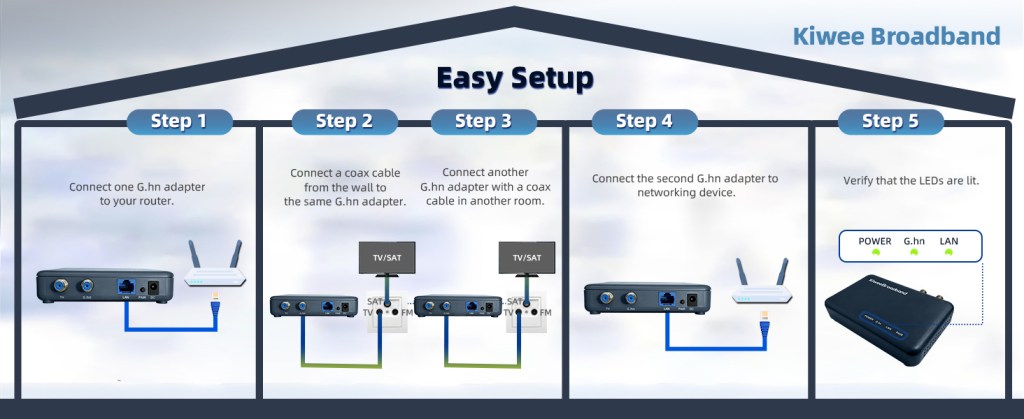
The KB-G3-01 is your solution: enterprise-grade G.hn Wave 2 technology in a compact, affordable adapter. Install in seconds. No setup required.
Key Benefits
Why Choose the KB-G3-01?
✓ Ultra-Fast Performance
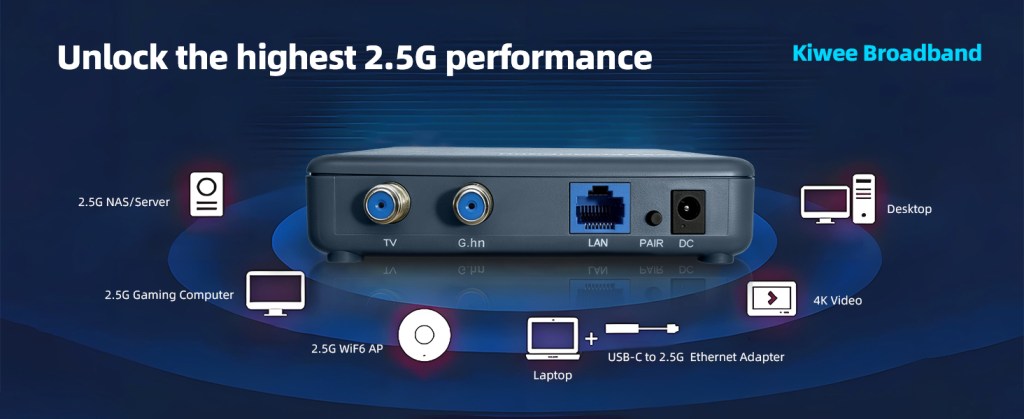
2.5 gigabits per second over coaxial cable—that’s 2.5x faster than gigabit ethernet and 25x faster than legacy powerline adapters. Stream 4K video, download large files, and game online without lag.
✓ Zero Disruption Installation
No drilling. No walls torn open. No electrician visits. Just plug into your existing coax cable and ethernet port. Ready to go in seconds.
✓ Works with Existing Cable
Nearly every home built after 1985 already has coaxial cable running to bedrooms, living rooms, and offices. The KB-G3-01 leverages infrastructure you already own.
✓ TV Compatible
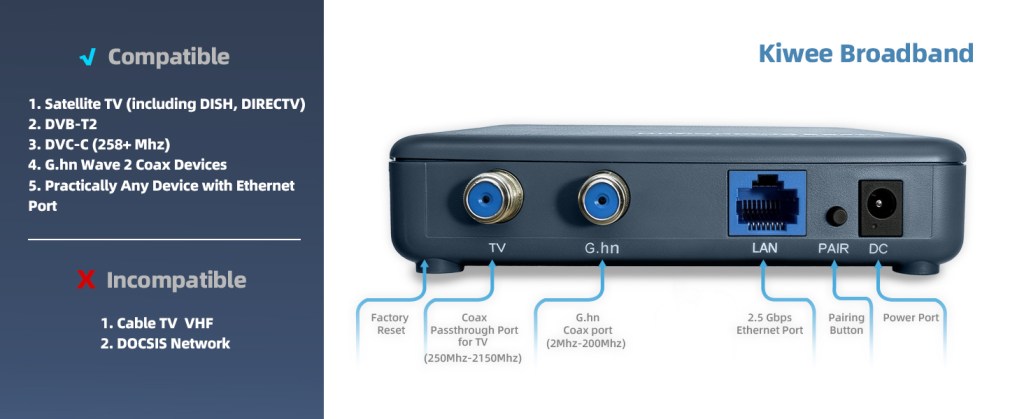
G.hn Wave 2 operates in a dedicated frequency band. Your cable TV, internet service, and this adapter coexist on the same cable without interference. Fully compatible with DVB-C (+258MHz), DVB-T2, and SAT TV—no signal degradation or channel loss.
✓ Enterprise-Grade Reliability
Built on the G.hn international standard (ITUT G.9960/G.9961). Used by ISPs and telecom companies worldwide. Battle-tested performance.
✓ Dual-Device Setup
Pair two KB-G3-01 adapters to create a high-speed link between two rooms. Daisy-chain multiple adapters to extend coverage throughout your home.
✓ Future-Proof Technology
2.5GE ethernet is the emerging standard for home networking. Future devices (gaming consoles, 8K displays, smart home hubs) will increasingly support 2.5G ports.2.5GE port is here to redefine connectivity for the modern home.
Use Cases Section
Perfect For…
Home Office & Remote Work
Eliminate video call buffering and upload delays. Get consistent 2.5 Gbps speeds for video conferencing, large file transfers, and cloud collaboration.
Gaming & Streaming
Ultra-low latency and unlimited bandwidth. Play competitive online games from your bedroom. Stream 4K content without WiFi interference.
Media Centers & Home Servers
Move large media files (4K video, RAW photos) to NAS drives at lightning speed. Backup terabytes of data in minutes, not hours.
Smart Home Networks
High-bandwidth foundation for cameras, smart displays, smart speakers, and IoT devices. No WiFi congestion. Pure wired reliability.
Multi-Room Connectivity
Connect distant rooms without expensive ethernet runs. Bridge your garage, guest house, or addition to main network.
Cord-Cutting Streaming Households
Replace traditional cable with streaming services. Use the same coax for fiber/video delivery—and now high-speed data too.
Tech Specs
| INTERFACES: | – One 10/100/1000/2500 Base T Ethernet LAN – One G.hn Coaxial Jack (2MHz~200MHz) – One TV Coaxial Jack (250MHz~2150MHz) – One Pairing button – One Reset Push button |
| NETWORK SIZE: | – Up to 16 Devices (including NC) |
| CHIPSETS: | – MaxLinear 88LX5153A0 – MaxLinear GPY211 |
| REGULATORY: | – FCC, CE – UL |
User Manual
Other languages user manuals are available below:
FAQ
► Will this interfere with my TV service?
► What real-world speeds can I expect from this adapter?
► How many adapters can I connect?
► Is setup complicated?
► What devices are compatible?
► Can I use this with my existing WiFi router?
► Is there latency? Will my games lag?
► Does it work in apartments with shared coax?
► Can I use two adapters in different rooms to extend my network?
► How is this different from powerline adapters?
► What about security? Can neighbors access my network?
► Does this work with fiber internet?
► Can I use the adapters with cable TV (like DVB-C)
► Can I use the adapters on the same cable as cable internet (DOCSIS)?
► Why no full speed or no connection—what do I check first?
► Do SAT multiswitches work with G.hn? (Mostly Europe/satellite homes)
► Can I plug the adapter straight into coax cable, no wall socket?
Tutorial Videos
Check Firmware and Link Rate for Stable Performance
Compare Models
| Model Number | KB-G3-01 | KB-M3-02 | KB-M3-03 | KB-M3-02E |
| Standard | ITU-T G.hn Wave 2 | MoCA 2.5 | MoCA 2.5 | MoCA 2.5 |
| Frequency Band | 2-200 Mhz | D Band (1150–1650 MHz) | D Band (1150–1650 MHz) | E Band Extended (400–900 MHz) |
| Ethernet Ports | 1 × 2.5GbE | 2 × 2.5GbE | 1 × 2.5GbE | 2 × 2.5GbE |
| Power over Ethernet (PoE+) | No | No | Yes | No |
| Latency | 1 ms (point-to-point) | 3-4 ms | 3-4 ms | 3-4 ms |
| Max Throughput | Up to 1.6 Gbps | Up to 2.5 Gbps | Up to 2.5 Gbps | Up to 2.5 Gbps |
| Compatibility | DVB-T2 (470-694 MHz), DVB-C (258-860 MHz), Satellite TV G.hn Wave 2 devices | DOCSIS, DVB-T2 (470-694 MHz), DVB-C (110-860 MHz), MoCA D Band | DOCSIS, DVB-T2 (470-694 MHz), DVB-C (110-860 MHz), MoCA D Band | Satellite TV, MoCA E Band |
| Not Compatible With | DOCSIS, MoCA | Satellite TV, MoCA E Band | Satellite TV, MoCA E Band | DOCSIS, DVB-T2 (470-694 MHz), DVB-C (110-860 MHz), MoCA D Band |
| Typical Use Case | Single device, UHF TV, Satellite TV homes, free/dark coax | Multi-device, high-speed LAN | Single device, PoE-powered devices | Satellite TV homes, multi-device LAN |
| Installation | Plug & Play | Plug & Play | Plug & Play, PoE simplifies power | Plug & Play |
 MoCA 2.5 Adapter with Dual 2.5G Ethernet Ports – Faster Home Networking | Kiwee Broadband