

KB-M3-02E
Exclusive World-First Technology | Extended E Band (400–900MHz) | Satellite TV Compatible
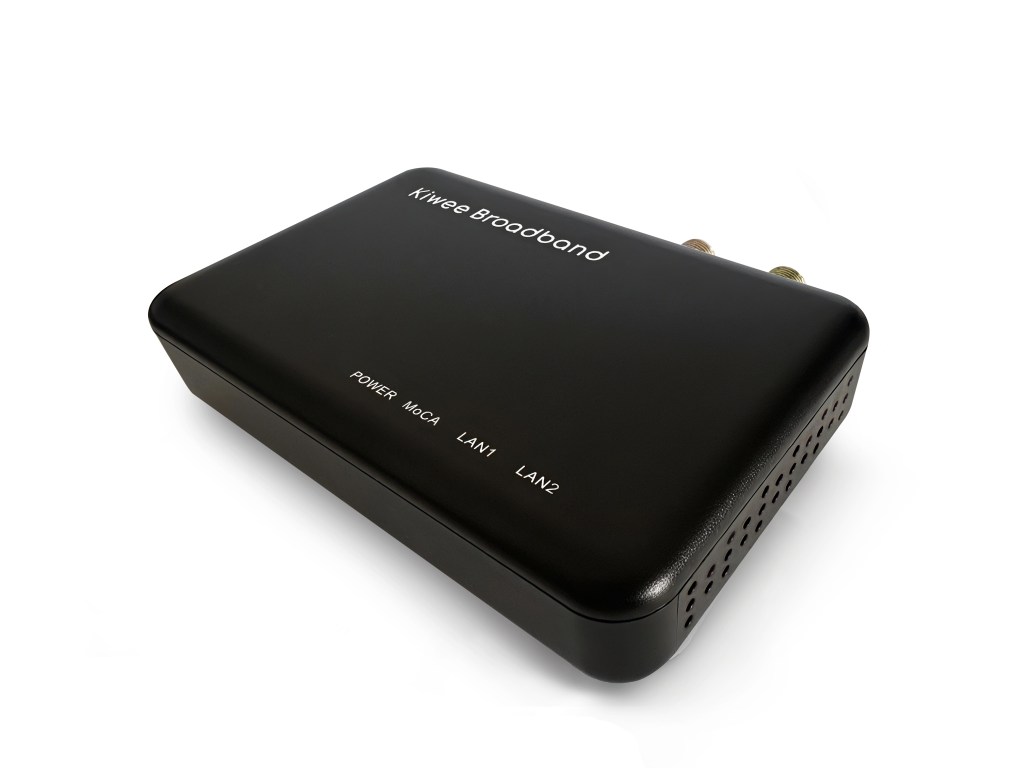
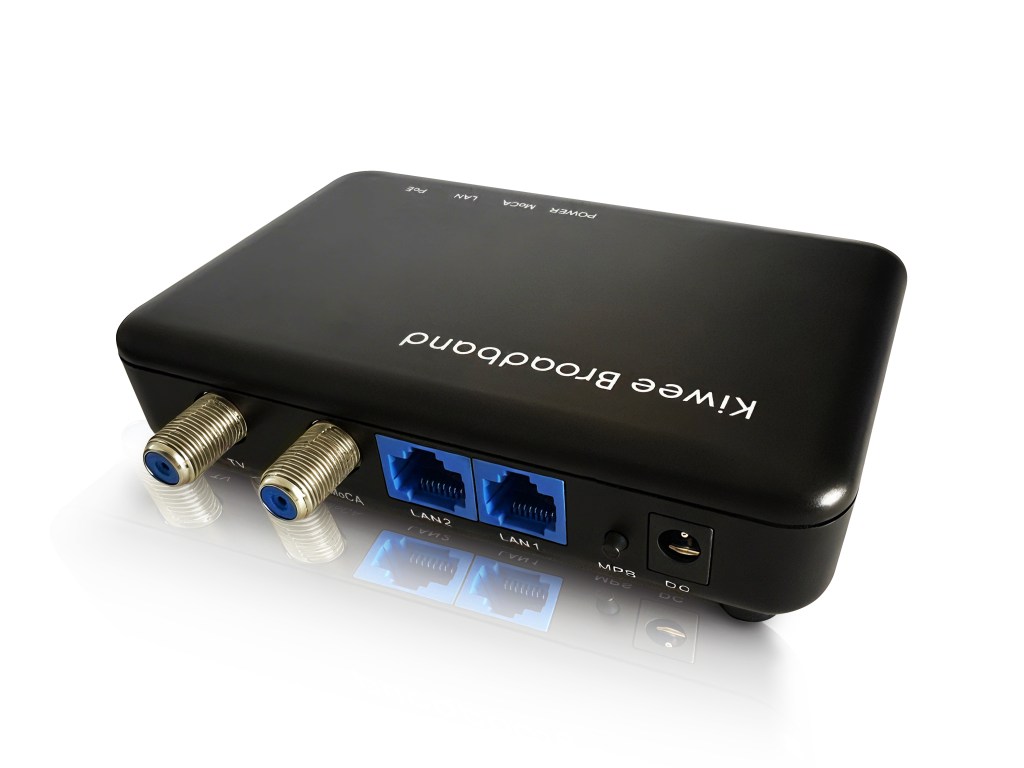

Compatible With:
- MoCA 2.5 networks using the Extended E Band (400–900MHz)
- Satellite TV systems (e.g., DIRECTV, DISH Network)
- Homes seeking to coexist MoCA and satellite signals without interference
Not Compatible With:
- D band MoCA devices
- DOCSIS cable internet services
- CATV (cable TV) services
Get Better WiFi with MoCA 2.5

How It Works: Whole-Home Connectivity
MoCA 2.5 turns your home’s coax TV outlets into high-speed Ethernet ports, creating a super-fast, stable connection between your router and Wi-Fi access points. Faster speeds in = better WiFi out!
- Easy Setup – Uses existing coax cables, no new wiring needed
- Boosts WiFi & Mesh Networks – Stronger, seamless coverage
- Perfect for Gaming & Streaming – No lag, no buffering

Key Features:
- Exclusive Dual 2.5GE Ports: The world’s first and only MoCA adapter with two 2.5GE ports, allowing high-speed connections for multiple devices.
- Ultra-Fast Speeds up to 2.5 Gbps: Ideal for bandwidth-intensive applications, ensuring smooth performance across all connected devices.
- Reliable and Stable Connection: Enjoy consistent, low-latency connections, even during peak hours.
- Easy Plug-and-Play Setup: No new cables or complicated configurations—simply plug it in and enhance your network instantly.
- Seamless Home Networking – Works with MoCA 2.5, 2.0, and 1.1 for easy integration.
- Advanced Security & Stability – Features MoCA Protected Setup (MPS), Enhanced Privacy, and Network-wide Beacon Power.
The Latest MoCA 2.5 Technology for 2.5 Gigabit Speeds With support for the latest MoCA 2.5 standard, the bonds MoCA channels to support speeds up to 2.5 Gbps, more than enough bandwidth for HD video, online gaming, and other demanding applications. You get the reliability and performance of a wired connection without the expense of wiring the home for 2.5 Gigabits Ethernet.
Easy to Set Up and Easy to Use

Get ready to experience what only we can offer!
🛠️ Why Two Ports Matter
Discover how a dual-port MoCA adapter can simplify your setup and boost your network performance.
Tech Specs
| INTERFACES: | – Two 10/100/1000/2500 Base T Ethernet LAN – One MoCA 2.5/2.0/1.1/1.0 Coaxial Jack (400MHz~900MHz) – One TV Coaxial Jack (950MHz~2300MHz) – One MPS Pairing button – One Reset Push button |
| NETWORK SIZE: | – Up to 16 Devices (including NC) |
| CHIPSETS: | – MaxLinear MxL3710 – MaxLinear GPY211 |
| REGULATORY: | – FCC, CE – UL |
User Manual
Other languages user manuals are available below:
Firmware
Extended E-Band (400–900 MHz):
Version 1.18.13.12
This firmware is based on MaxLinear SDK v1.18.13 and uses the extended band covering a wider frequency range (400–900 MHz).
Standard E-Band (400–700 MHz):
Version 1.18.13.14
Also based on MaxLinear SDK v1.18.13, this firmware restricts MoCA operation to the 400–700 MHz band, reducing potential interference with satellite TV signals and is recommended for satellite TV compatibility.
Use the standard E-Band firmware version 1.18.13.14 to avoid satellite interference issues.
FAQ
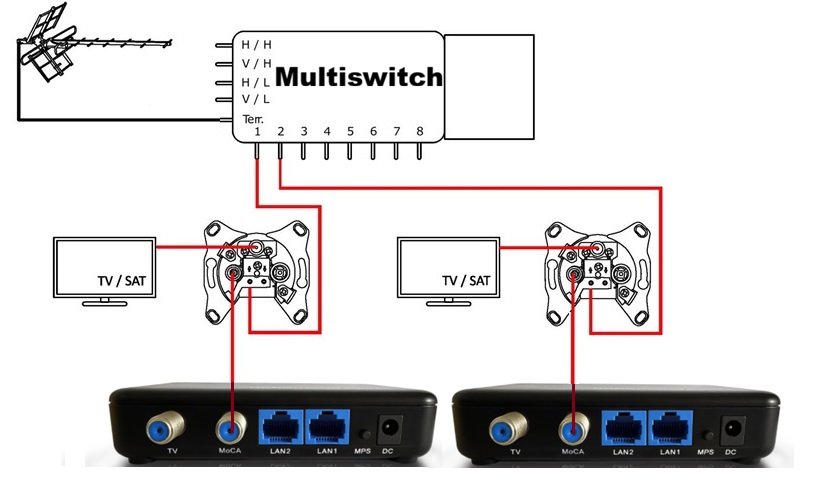
► How to wire European multimedia coax outlets with MoCA 2.5?
Do not use MoCA’s TV port—outlet filters block SAT IF (950-2150 MHz) before reaching the MoCA 2.5 adapter.
LNB side: Use 2-way SAT splitter (5-2150 MHz, DC power pass to LNB)—one input from coax outlet (STB), other from MoCA device.
► My satellite TV picture shows artifacts or pixelation when using the MoCA adapter with Extended E Band. What should I do?
► Will the E-band MoCA 2.5 adapter work with DIRECTV or DISH satellite TV?
► Can I use E-band MoCA with cable internet or DOCSIS modems?
► What speeds can I expect with the dual 2.5G Ethernet ports?
► How many adapters can I connect on an E-band network?
► Do I need special coax splitters for E-band MoCA?
► What is the maximum distance supported by E-band MoCA?
► Is a MoCA filter required for E-band adapters?
► Can I mix E-band adapters with other brands?
Tutorial Videos
►Check MoCA Adapter Firmware and Link Rate for Stable Performance
When issues arise, verify the MoCA adapter’s firmware version and link rate. The link rate indicates the stability and reliability of the MoCA connection, so give it close attention. A healthy link rate is typically around 3500 Mbps.
►Switch MoCA Adapter from Static IP to DHCP for Automated Management
Some users prefer the MoCA adapter to obtain its management IP address via DHCP. This guide provides clear, step-by-step instructions to enable DHCP on the MoCA device, improving network flexibility and ease of management.
►Enable MoCA Traffic Security Protection Across Your Network
Activating the Security feature protects data transmitted over the MoCA network from unauthorized devices. All MoCA devices on the network must support and enable this feature; older devices may not. MoCA 2.5 devices generally support it. Before enabling, verify the device types in your home to avoid connection failures.
Compare Models
| Model Number | KB-M3-02 | KB-M3-03 | KB-M3-02E |
| MoCA Standard | MoCA 2.5 | MoCA 2.5 | MoCA 2.5 |
| Frequency Band | D Band (1150–1650 MHz) | D Band (1150–1650 MHz) | E Band Extended (400–900 MHz) |
| Ethernet Ports | 2 × 2.5GbE | 1 × 2.5GbE | 2 × 2.5GbE |
| Power over Ethernet (PoE+) | No | Yes | No |
| Max Throughput | Up to 2.5 Gbps | Up to 2.5 Gbps | Up to 2.5 Gbps |
| Compatibility | DOCSIS, CATV, MoCA D Band | DOCSIS, CATV, MoCA D Band | Satellite TV, MoCA E Band |
| Not Compatible With | Satellite TV, MoCA E Band | Satellite TV, MoCA E Band | DOCSIS, CATV, MoCA D Band |
| Typical Use Case | Multi-device, high-speed LAN | Single device, PoE-powered devices | Satellite TV homes, multi-device LAN |
| Installation | Plug & Play | Plug & Play, PoE simplifies power | Plug & Play |
| Buy Now | Buy Now | Buy Now |
 MoCA 2.5 Adapter with Dual 2.5G Ethernet Ports – Faster Home Networking | Kiwee Broadband